
Have you been using images that are VERY LARGE, and/or, PNG Format?
Have you been reblogging and noticed how LARGE, some folks make their images?
Result
Running out of space in your WordPress Media Storage and thinking about paying for more?
Unless you are displaying your own images / photos, and WANT to have them full size
Before you spend any money, go through your Media Storage images and reduce their sizes
You might be shocked at how much longer you can work with the storage space you save.
Step 1:
Select an image and click on it to see its size (width x height in pixels)
and
how much it ‘weighs’ (i.e., how many KB or MB it is):
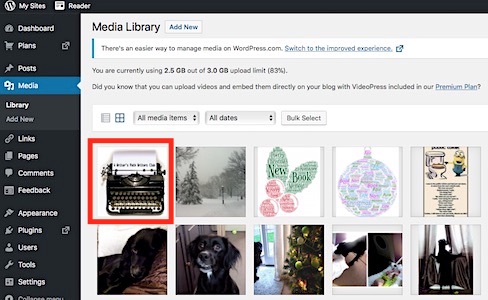
Step 2
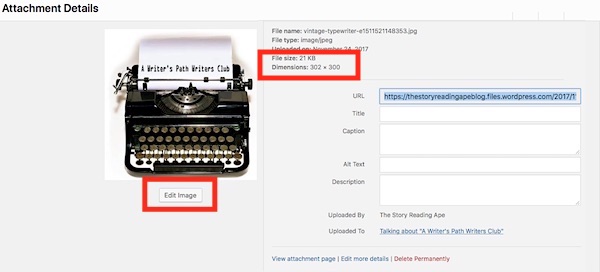
My example has already been adjusted, but you can see its size and weight
To reduce them, click on the Edit Image button shown under the image:
Step 3
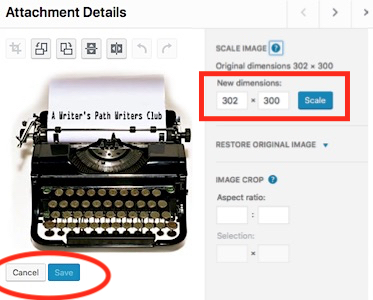
Adjust the size
I use either 600 wide, OR, 300 high
because each WP post width allowance is only 600 pixels.
Authors Please Note:
Although it is tempting to display your book covers full size
at least use JPG Format and NOT use PNG format.
Also
Just use 6oo wide JPG images
They’ll STILL look awesome
For Example:
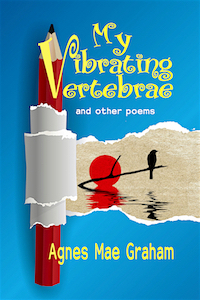
My Mum’s book cover sizes and weights:
2000 x 3000 pixels PNG is 3.5MB
2000 x 3000 pixels JPG is 1MB
600 x 900 pixels JPG (shown below) is 145 KB (0.145MB)
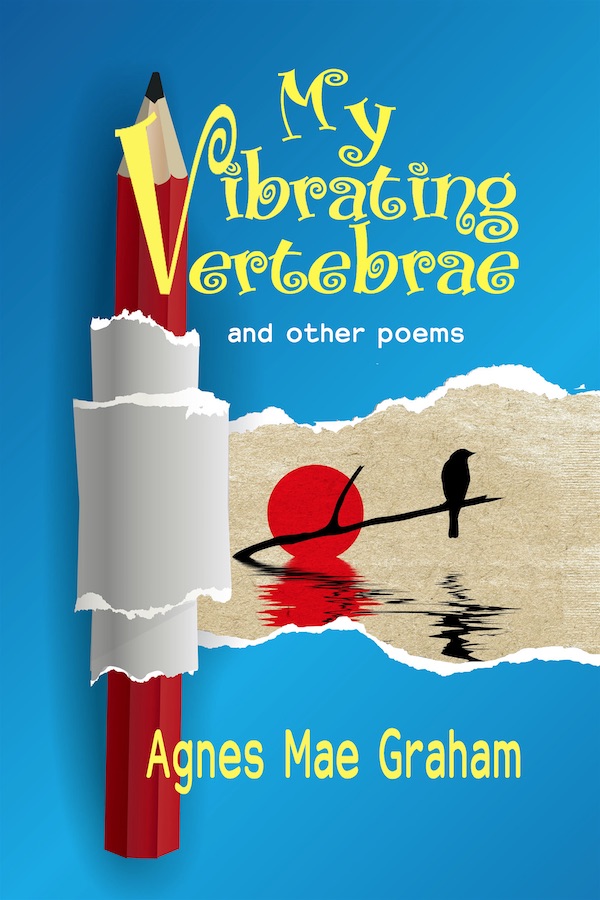
at 200 x 300 pixels JPG (see below) it is 24 KB (0.024MB)
 Chris The Story Reading Ape's Blog
Helpful.
I’ve been squooshing pics before I post them, but I didn’t realise I could resize them on here too. Will it work with reblogged pics, I wonder? (About to find out…)
LikeLiked by 1 person
If the reblogged images go into your blog media, you can resize them, Cathy (not every reblog transfers images into your media)
LikeLiked by 1 person
I want to know why I have every image from a reblogged post in my Media archive, when the excerpt on my my own blog only shows one or two. Is this a cunning scheme to get me to upgrade sooner? (I’ll ask WP support.)
LikeLiked by 1 person
OK – I’ve tried deleting a few from old reblogs and it doesn’t seem to affect my excerpt. The support chat guy from WP seemed surprised that they all got copied in too.
LikeLiked by 1 person
See my reply to your previous comment, Cathy
LikeLiked by 1 person
Useful – I’d like to reblog if that’s OK (although I suspect my modest collection of followers already follow your posts).
LikeLiked by 1 person
Please do, Cathy 🤗
LikeLike
It’s one of those ‘all or nothing’ things, Cathy – either all the reblog post images get transferred, or, none of them do 🙁
Every time I reblog, I check what images were transferred with the post, then go to my media, delete those that don’t show up in the reblogged post and resize those that DO appear in the post (300 pixels high preferred). That, and deleting old, non-informative posts and associated images, is why I’ve been able to keep my media library below the free theme limit for the past 7 years.
LikeLiked by 1 person
I’m just working my way through now – so much for today’s editing schedule! Thanks for the heads-up.
LikeLiked by 1 person
Welcome, Cathy – good luck 🤗
LikeLike
A helpful post, Chris. Thanks so much.
LikeLiked by 1 person
Good Luck reducing your image sizes, Michelle 😃
LikeLiked by 1 person
Thanks, Chris! I’ve been trying to do this. But didn’t know that it would save me room. That’s great! 😘
LikeLiked by 1 person
Welcome and Good Luck with it, Janice – I’m still going through almost 5 years worth as well 😀
LikeLike
Reblogged this on When Angels Fly.
LikeLiked by 1 person
😱👍😃
LikeLiked by 1 person
Great series, Ape, and thanks for posting.
Two complaints: 1) some of your inserted dialogue box images are not legible regarding the actual text in those boxes.
2) please correct all your “it’s” to “its” when you mean to use the possessive (belonging to “it”) and not the “it is,” contraction form’s meaning.
Best to you,
Sally
LikeLiked by 1 person
Thanks for the information, Sally – it’s corrected to its – The images are indicative rather than to have the text read in detail, that’s why I also give written directions 😎
LikeLiked by 1 person
Hi, Found your article via Cathy Cade. Thanks so much for information. I’m working through my Media Library renaming to make searching easier. Resizing while I go will be a time-saver. Cheers Ape! 😊
Having read December 17 comment from SE I feel I have to reassure you that it is the content and context that is beneficial and welcomed. Everyone makes typos and grammatical errors, including the doctor herself. In lists parentheses should be in pairs, or preferably not used at all. Where each point in a list begins with a lowercase letter a closing full-stop is not used. Also not sure why there is a comma after the “it is” but before the closing quotation mark. I’m afraid her nit-picking brought out the pedant in me.
I’ll step down from my autistic soapbox now. Some of us do rant, and we do go on – but we also believe in fairness.
Thank you again. I’ll start checking out your site for myself now.
LikeLiked by 1 person
Glad you found the article useful, Marilyn – Good Luck with reorganising your media.
Be aware that renaming images in media, may affect those shown in past posts…
LikeLike