
Great tutorials from Harmony 😀

 Hello SErs! Harmony here. Happy Wednesday 🙂
After my debacle with Facebook last month (see my post HERE), I thought it might be helpful to write something on the importance of backing-up your social media accounts.
Honestly, even though I back-up my website/blog regularly, I never even gave a single thought to Twitter or Facebook.
Below, I show you how to make an archive of Twitter …
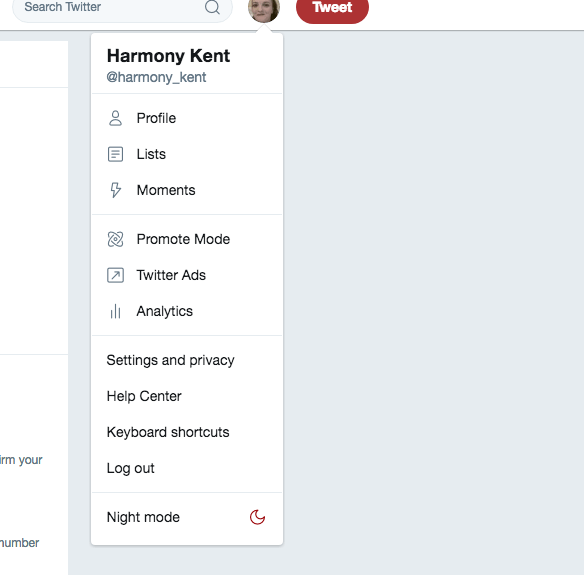
First, open the ‘Settings and Privacy’ option on the dropdown menu when you click on your profile image …
This will bring you to the following page …
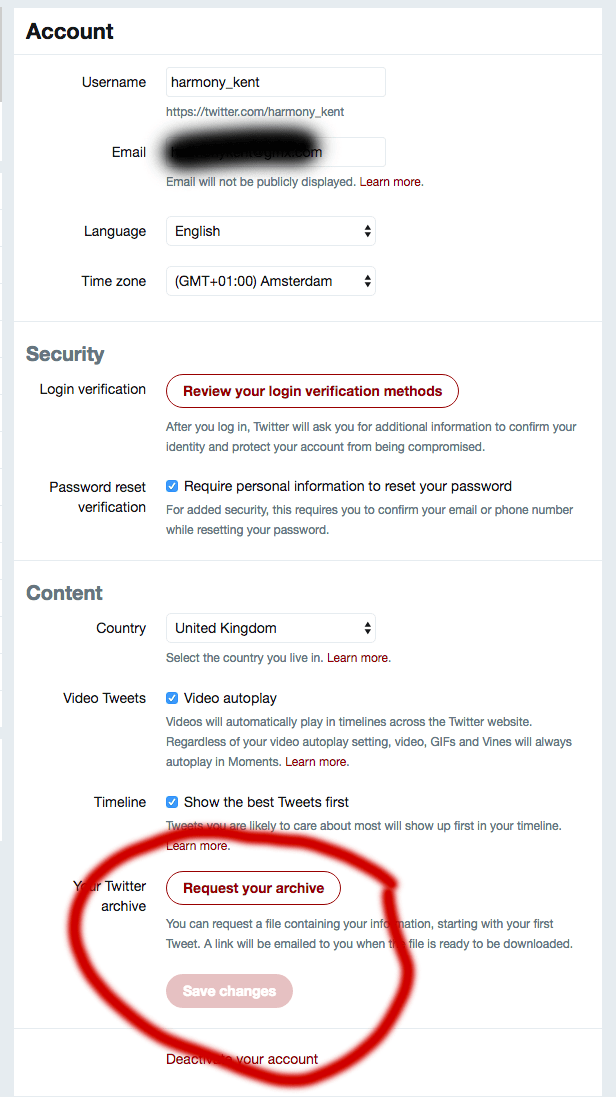
Click on ‘Request Your Archive’.
You will receive the following message from Twitter …
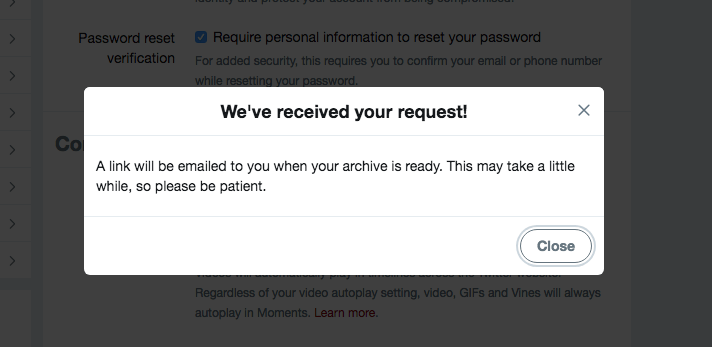
In a short time, you should receive an email that contains a zip file with your entire Twitter account backed up. You will need to extract the zip file and open it.
You will see a few folders and buttons…
View original post 504 more words
 Chris The Story Reading Ape's Blog
Great share, Chris. Thank you ❤
LikeLiked by 1 person
Handy! Thank you.
LikeLiked by 1 person
Welcome 😃
LikeLiked by 1 person
Thanks so much for sharing, Chris! 🙂
LikeLiked by 1 person
Thank YOU for making this great post, Harmony 😀
LikeLiked by 1 person