
Have you been using images that are VERY LARGE, and/or, PNG Format?
Have you been reblogging and noticed how LARGE, some folks make their images?
Result
Running out of space in your WordPress Media Storage and thinking about paying for more?
Unless you are displaying your own images / photos, and WANT to have them full size
Before you spend any money, go through your Media Storage images and reduce their sizes
You might be shocked at how much longer you can work with the storage space you save.
Step 1:
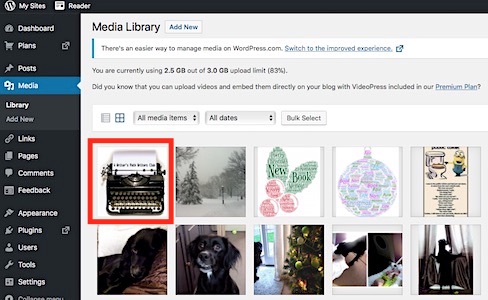
Select an image and click on it to see its size (width x height in pixels)
and
how much it ‘weighs’ (i.e., how many KB or MB it is):
Step 2
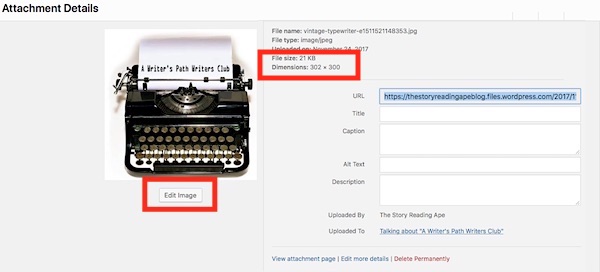
My example has already been adjusted, but you can see its size and weight
To reduce them, click on the Edit Image button shown under the image:
Step 3
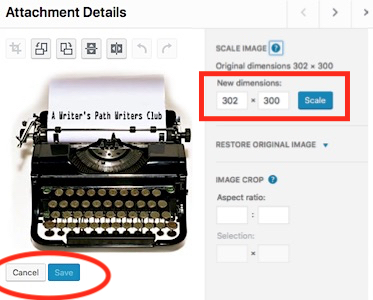
Adjust the size
I use either 600 wide, OR, 300 high
because each WP post width allowance is only 600 pixels.
Authors Please Note:
Although it is tempting to display your book covers full size
at least use JPG Format and NOT use PNG format.
Also
Just use 6oo wide JPG images
They’ll STILL look awesome
For Example:
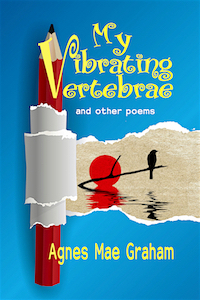
My Mum’s book cover sizes and weights:
2000 x 3000 pixels PNG is 3.5MB
2000 x 3000 pixels JPG is 1MB
600 x 900 pixels JPG (shown below) is 145 KB (0.145MB)
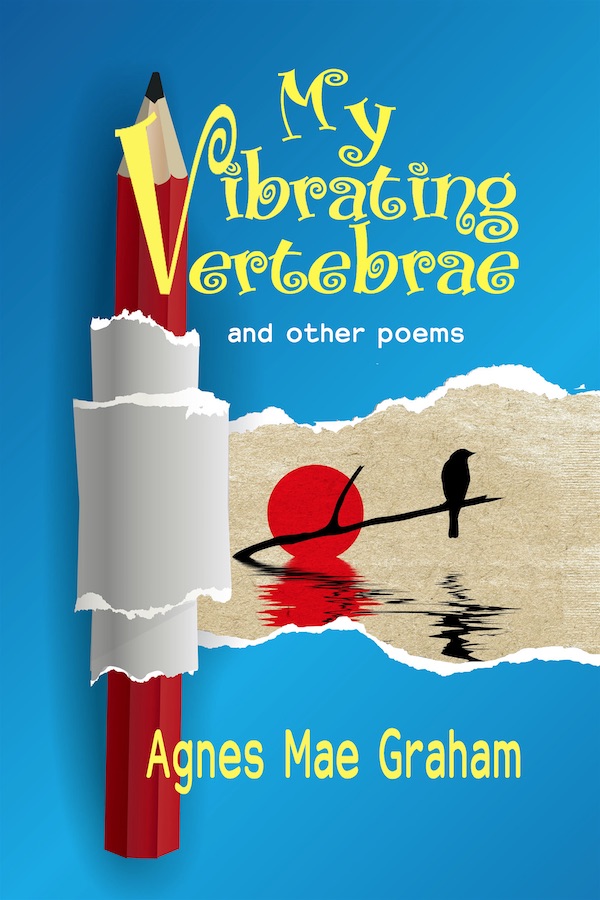
at 200 x 300 pixels JPG (see below) it is 24 KB (0.024MB)
 Chris The Story Reading Ape's Blog
I see that the small dog got in on the act…she gets everywhere 😉 x
LikeLiked by 1 person
👍😄😄😄
LikeLike
😀
LikeLiked by 1 person
That is a very good advice! Thank you! I’m always tempted to show pictures larger than necessary.
LikeLiked by 1 person
It’s only natural, Martha, but when storage space is limited, it’s best to use smaller images 😃
LikeLiked by 1 person
Yepp. You’re right. Storage space costs additional money – that’s a fact I often forget. 😉
LikeLiked by 1 person
Reblogged this on Die Erste Eslarner Zeitung – Aus und über Eslarn, sowie die bayerisch-tschechische Region!.
LikeLiked by 1 person
Thanks, Michael – Don’t forget Part 2 and the follow-up to access the OLD WP Admin👍😃
LikeLike
Reblogged this on IreneDesign2011 and commented:
You should read this post, if you also wish to save space for your medias at WordPress, Chris is really kind to share this 😀
LikeLiked by 1 person
Thanks for sharing, Irene 😃❤️
LikeLiked by 1 person
You are so welcome and I’m so grateful for your help 😀
LikeLike
Reblogged this on Jacquie Biggar- USA Today Best-selling author and commented:
Informative blog post from The Story Reading Ape on resizing WordPress images to save space. #Blogging #Writertips
LikeLiked by 2 people
Thanks for sharing, Jacquie 😃
LikeLiked by 2 people
I’m going to check on this, thanks, Chris! And I love your mom’s cover!
LikeLiked by 1 person
Thanks, Jacquie – I made it 😃
LikeLiked by 2 people
Wow, really? You have a second calling then, nice!
LikeLiked by 1 person
I’ve been having a year off making book covers, Trailers, Book Promo banners, etc, and archived my relevant pages – I might take them up next year again 😃
LikeLiked by 1 person
I will definitely keep you in mind, then!
LikeLike
Thanks, Chris, for the info…I can use it! Best wishes.
LikeLiked by 1 person
Good Luck with it, Billy Ray 👍😃
LikeLiked by 1 person
Reblogged this on The PBS Blog and commented:
Very good post from Chris on resizing your images to save storage space in WordPress so you don’t have to upgrade. No use spending money we don’t have to spend. I’ll be doing this tonight. #Winning
LikeLiked by 2 people
Thanks for sharing, EC ❤️
LikeLiked by 2 people
Welcome.
LikeLiked by 2 people
I just tried to go into my media library to change the sizes, but I can’t see same possibility, as you show in your library. I can only see the pixels, but not how many mb or kb, the photo is at. Did you buy extra at WP?
LikeLiked by 2 people
Send me a screenshot to tsrabookcovers (AT) gmail (DOT) com, Irene – No, I’m still within my FREE 3 GB storage limit, even after just under 5 years 😃
LikeLiked by 2 people
Thank you Chris, I have been blogging for 5 years in May next year and I have used 81% of my media space for now. Just sent you a mail.
LikeLiked by 2 people
Just replied, Irene 👍😃
LikeLiked by 1 person
I did too 😀
LikeLiked by 1 person
Thank you for your advice, I’m close to run out of space enough 🙂
LikeLiked by 2 people
There’s another space saving tip after this one, Irene – in fact, it’s live now 😃
LikeLiked by 2 people
I will check it and thank you so very much 🙂
LikeLiked by 2 people