
Great tutorial from Chris McMullen 😀

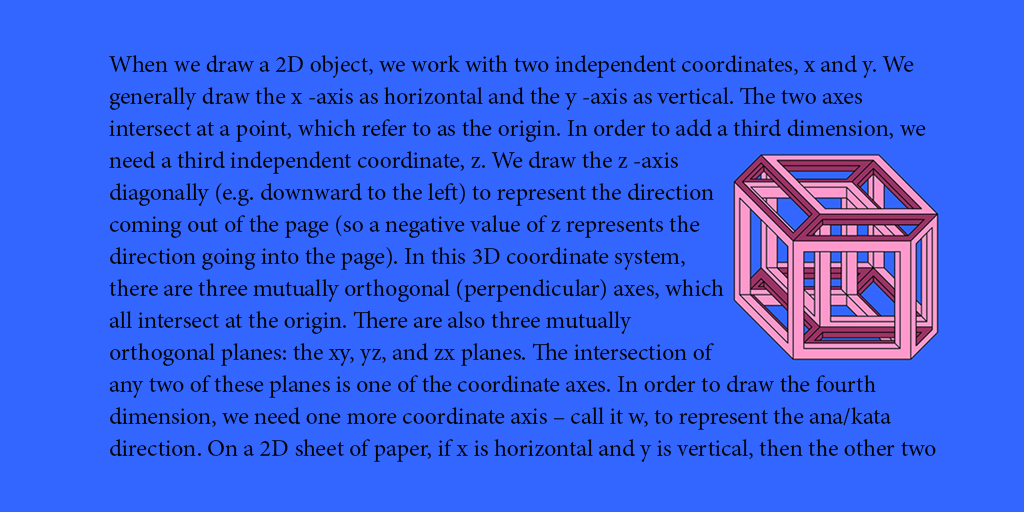 The text in the above image was wrapped in PhotoShop.
WRAP TEXT AROUND IMAGES IN PHOTOSHOP
There is a little ‘trick’ to wrapping text around an image in Adobe PhotoShop.
You won’t find an automated option that identifies itself as text or image wrap.
But you can wrap text around a picture in PhotoShop with a few easy steps.
I will show this step by step, with illustrations, specifically for Adobe PhotoShop Creative Cloud 2015 for Windows, but the same principle applies to other versions (although the specific steps may be somewhat different).
0 START WITH THE IMAGE AND TEXT
The following image shows the text and image, but not yet wrapped as desired.
The text layer is presently in front of the image layer.
Don’t worry. We’ll fix that in the following steps.
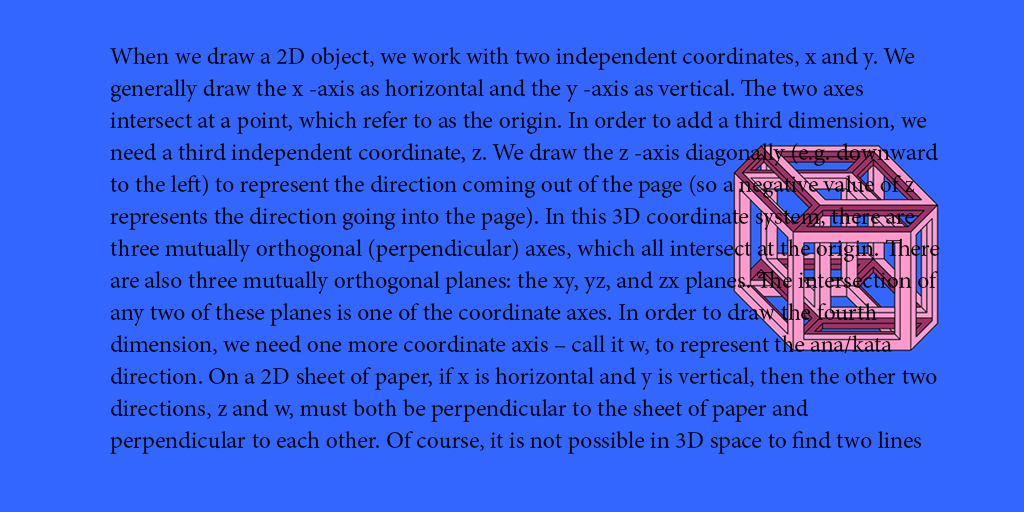
1 FIRST REMOVE THE TEXT BOX
The real ‘trick’ is that you don’t want to use…
View original post 836 more words
 Chris The Story Reading Ape's Blog
Wow…excellent information Chris and Chris!! Will press to reblog later! Thanks!! 🙂
LikeLiked by 1 person
Welcome Patrick 👍😃
LikeLike