
In case you need to know 😎

Just a very quick post about the covers for IngramSpark.
First, you can find the template builder on the IngramSpark website here:
https://myaccount.ingramspark.com/Portal/Tools/CoverTemplateGenerator
You won’t have to register with IngramSpark to use the cover generator, but you will have to type in an ISBN for the book plus other details like total page count etc:
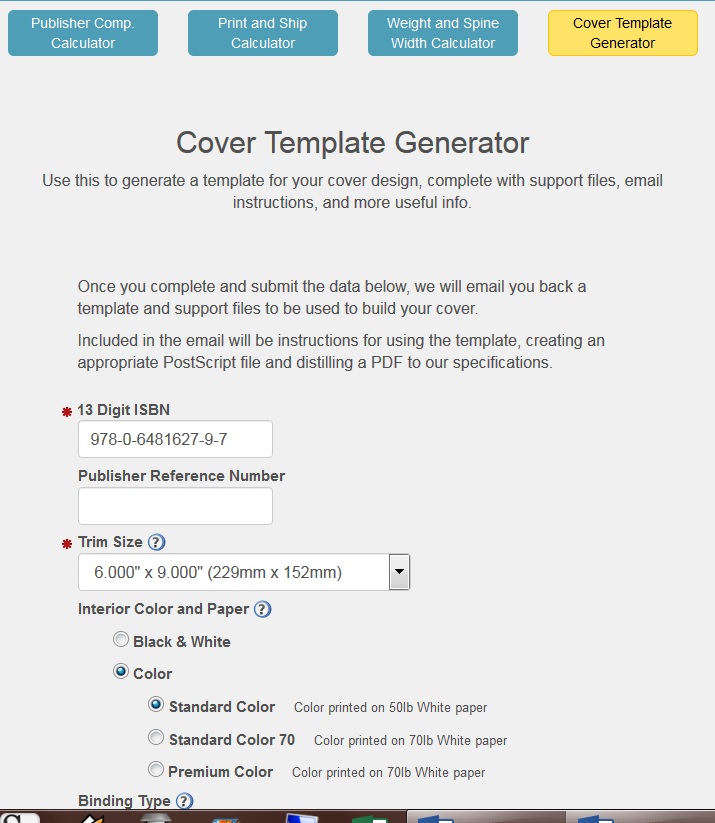
IngramSpark will send you an email so you can download the template [two choices InDesign or PDF].
The template will look like this:

The cover has to fit over the entire coloured area, with particular attention to the text that goes on the spine. Then the WHOLE template plus cover image has to be saved as one, converted to whatever [for me it’s PDF] and that is sent off as the cover file.
Hope that makes sense.
Night all,
Meeks
 Chris The Story Reading Ape's Blog
Thanks for sharing, Chris. Pinning for future reference.
LikeLiked by 1 person
Welcome, Jan 👍😃
LikeLike