
For limited devices, e,g., Kindle Fire HD. 😃

NOW YOU CAN READ A KINDLE EBOOK BY SCROLLING DOWNWARD
Some formatters used to say that a Kindle eBook is scrollable like a webpage.
But until now, that wasn’t quite right. You used to paginate your way through a Kindle eBook by advancing onto the next “page.”
But Kindle eBooks also weren’t like print books. When you changed the font size, line spacing, or read the book on a different device, the “pages” became significantly different.
However, now on supported devices it is possible to scroll down through a Kindle eBook just like you scroll through an article on a website online.
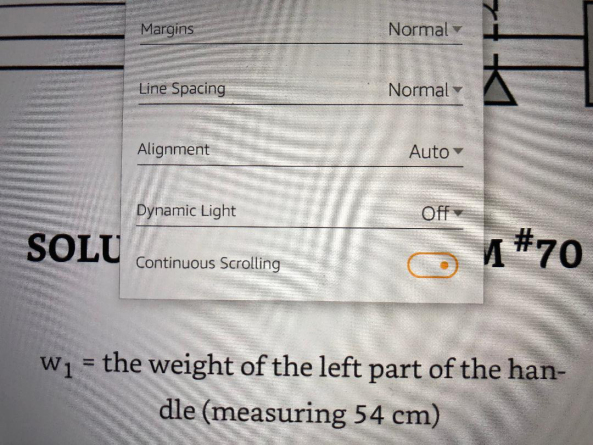
In the settings, look for the Continuous Scrolling option, shown below for my Kindle Fire.
If you’d rather paginate your way through the eBook, just disable the Continuous Scrolling option and it will function just like it always has.
This new feature is important to authors and publishers…
View original post 387 more words
 Chris The Story Reading Ape's Blog
Works on tablets too. But I’m not a fan. I tried it and quickly returned to page flipping.
LikeLiked by 1 person
I prefer page flipping as well, John 😃
LikeLike
I actually like the paginate, It makes it seem more like an actual book.
LikeLiked by 1 person
I agree, Viv 👍😃
LikeLike